A local-first battlemap display tool for game masters. Cast a map with fog of war to a second "player" screen while you control everything from a private GM panel. Lodestar runs entirely in the browser with no build step and no dependencies.
It runs entirely in your browser. No install, no account, nothing to download if you don't want to. You open it, load a map, click "Open player display," and drag that window over to your second screen. You control everything from your own DM panel, and your players only see what you choose to reveal.
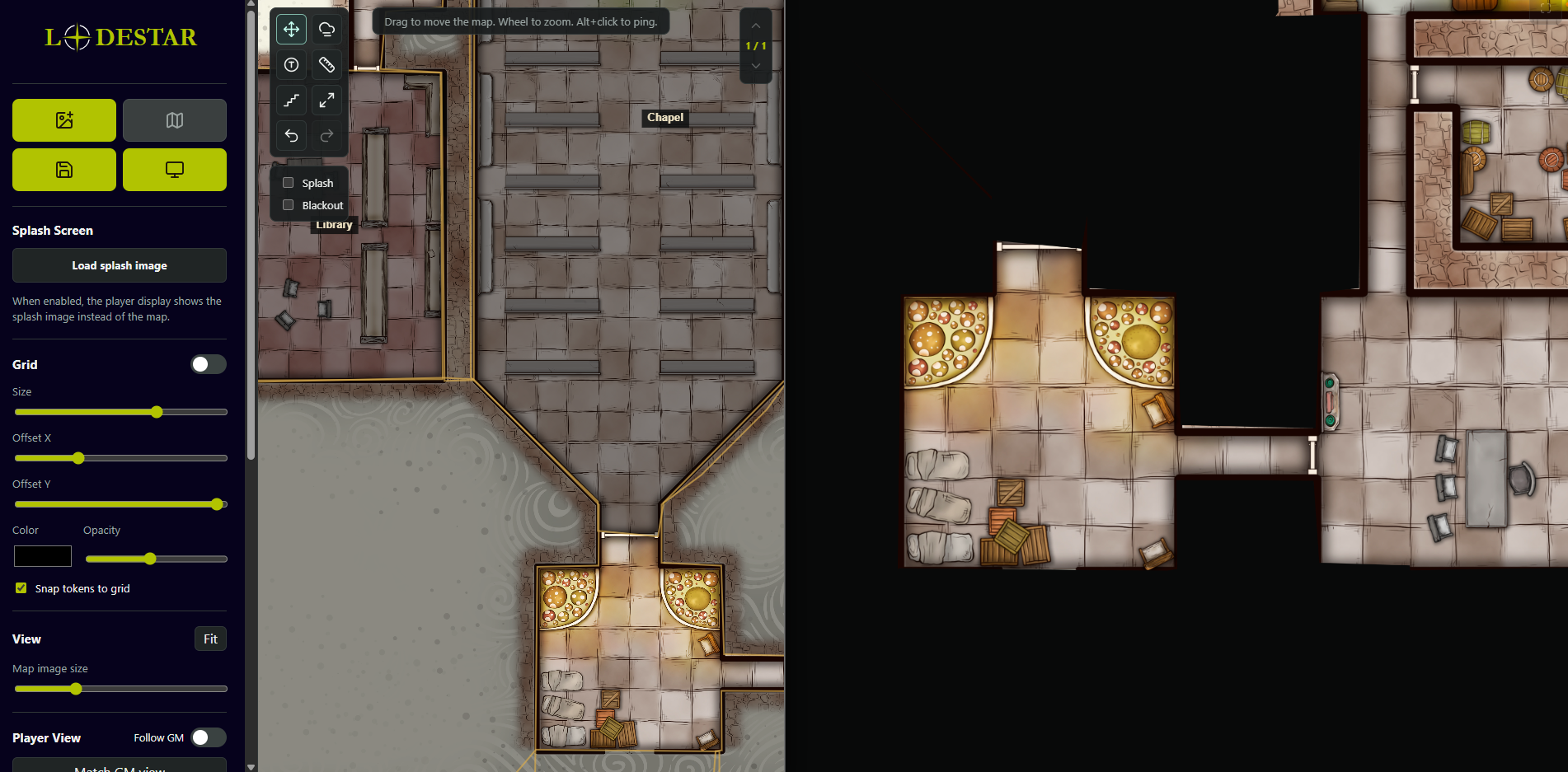
Lodestar is completely free and open source, so you can use it, fork it, or tear it apart however you like.
— load high-resolution map images from local disk; pan and zoom freely.
Player display — open a second window, drag it to another screen, and cast the map to your players. The player window can go fullscreen.
Fog of war
- Trace polygon areas and click them in reveal mode to show/hide on the player display.
- Name polygon areas with a GM-only label.
- Paint or erase fog with a round or square brush of adjustable size.
- GM sees fog as an adjustable tint/opacity; players see solid black.
Multi-floor — build multi-level locations; each floor has its own map, fog, tokens, and stairs. Navigate with the on-screen floor widget.
Stairs — place GM-only staircase markers that link floors; they scale with the grid and zoom and are invisible to players.
Tokens — drop, drag, label, color, and size them in grid cells; they snap to the grid and appear on both displays.
Grid — toggle and adjust size, offset, color, opacity, and token snapping.
Ping — Alt+click draws an animated marker on both displays.
Measure — reports distance in grid cells and feet.
Splash / blackout — show a splash image or a plain black screen on the player display instead of the map.
Library — save full setups (image, grid, fog, tokens, floors, views) to a local IndexedDB library; export/import the whole library as JSON for backups or moving machines.
When you save a map, it's stored locally in your own browser, not on a server somewhere. Nothing gets uploaded, so your maps stay on your machine. The catch is that the saved library is tied to the browser and device you saved it on, so it won't follow you to another computer or survive clearing your browser data. If you make maps you want to keep, use the Export button to save your whole library to a file. That file is your real backup, and you can import it on any device.
Links
uncleplants.github.io  https://uncleplants.github.io/Lodestar/
 - Lodestar web app(no download)
github.com https://github.com/UnclePlants/Lodestar - Source code